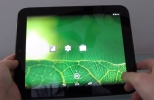
Until now, if you wanted to listen to the radio on your Palm Pre or Pixi you had one choice, Pandora. Now the other big player in Internet Radio has an app for webOS. Slacker Radio for webOS has been released. The press release follows.
Slacker Radio Announces Mobile App for Palm webOS Smartphones
Slacker Radio for the Palm webOS Offers Free Personalized Radio Stations and New Music Discovery On-the-Go
SAN DIEGO, Feb. 4 /PRNewswire/ -- Slacker, Inc. today announced the Slacker Radio Mobile app for Palm Pre, Palm Pre Plus, Palm Pixi and Palm Pixi Plus smartphones. Music lovers in the United States and Canada can now listen to their favorite Slacker Radio stations on their Palm webOS smartphone. The free Slacker Radio app is now available at the Palm webOS App Catalog or by visiting www.slacker.com from a Palm webOS smartphone*.
Palm webOS smartphone owners now have the ability to enjoy the Slacker music experience, including custom music stations based on their favorite artist or mix of artists, over 120 expert-programmed Slacker genre, seasonal and spotlight stations and over 10,000 artist stations. Additional application features include an intuitive interface and the ability for listeners to personalize each station based on their music tastes.
With a music catalog that is nearly four times the leading competitor, Slacker gives listeners the ultimate music discovery resource by providing artist biographies, album reviews and "peek ahead" artist and album previews. In addition to marking songs as favorites, listeners can also ban songs and artists to create perfect custom radio stations on their phones.
"Slacker offers music lovers an effortless way to discover and enjoy music on their computers, smartphones or through their home entertainment devices," said Jonathan Sasse, senior vice president of marketing at Slacker. "Our free app for Palm webOS enables music fans play their favorite Slacker Radio stations wherever they go."
Slacker Radio for Palm webOS:
Music library featuring millions of songs
High-quality stereo playback from any available wireless connection
Create custom artist stations based on artists or songs
Over 120 professionally programmed and customizable genre stations
View artist biographies and photos
View album art and read reviews
"Peek Ahead" artist and album preview
Rate songs as favorites
Ban songs and artists from stations
Pricing and Availability
The free Slacker Radio application is available through the Palm webOS mobile platform App Catalog or by visiting www.slacker.com from the webOS browser.
About Slacker, Inc.
Slacker is the world's first Personal Radio company offering "Your Radio Everywhere." Slacker enables music lovers to play highly personalized music online at the Slacker web site or on the go with Slacker Personal Radio players and mobile phones. Slacker mobile applications are currently available for Palm webOS, Android, iPhone and BlackBerry smartphones. For more information visit http://www.Slacker.com/everywhere.
For regular Slacker updates follow us at www.Twitter.com/SlackerRadio, become a Fan on Facebook at www.Facebook.com/SlackerRadio or visit www.Slacker.com.
Slacker Radio Announces Mobile App for Palm webOS Smartphones
Slacker Radio for the Palm webOS Offers Free Personalized Radio Stations and New Music Discovery On-the-Go
SAN DIEGO, Feb. 4 /PRNewswire/ -- Slacker, Inc. today announced the Slacker Radio Mobile app for Palm Pre, Palm Pre Plus, Palm Pixi and Palm Pixi Plus smartphones. Music lovers in the United States and Canada can now listen to their favorite Slacker Radio stations on their Palm webOS smartphone. The free Slacker Radio app is now available at the Palm webOS App Catalog or by visiting www.slacker.com from a Palm webOS smartphone*.
Palm webOS smartphone owners now have the ability to enjoy the Slacker music experience, including custom music stations based on their favorite artist or mix of artists, over 120 expert-programmed Slacker genre, seasonal and spotlight stations and over 10,000 artist stations. Additional application features include an intuitive interface and the ability for listeners to personalize each station based on their music tastes.
With a music catalog that is nearly four times the leading competitor, Slacker gives listeners the ultimate music discovery resource by providing artist biographies, album reviews and "peek ahead" artist and album previews. In addition to marking songs as favorites, listeners can also ban songs and artists to create perfect custom radio stations on their phones.
"Slacker offers music lovers an effortless way to discover and enjoy music on their computers, smartphones or through their home entertainment devices," said Jonathan Sasse, senior vice president of marketing at Slacker. "Our free app for Palm webOS enables music fans play their favorite Slacker Radio stations wherever they go."
Slacker Radio for Palm webOS:
Music library featuring millions of songs
High-quality stereo playback from any available wireless connection
Create custom artist stations based on artists or songs
Over 120 professionally programmed and customizable genre stations
View artist biographies and photos
View album art and read reviews
"Peek Ahead" artist and album preview
Rate songs as favorites
Ban songs and artists from stations
Pricing and Availability
The free Slacker Radio application is available through the Palm webOS mobile platform App Catalog or by visiting www.slacker.com from the webOS browser.
About Slacker, Inc.
Slacker is the world's first Personal Radio company offering "Your Radio Everywhere." Slacker enables music lovers to play highly personalized music online at the Slacker web site or on the go with Slacker Personal Radio players and mobile phones. Slacker mobile applications are currently available for Palm webOS, Android, iPhone and BlackBerry smartphones. For more information visit http://www.Slacker.com/everywhere.
For regular Slacker updates follow us at www.Twitter.com/SlackerRadio, become a Fan on Facebook at www.Facebook.com/SlackerRadio or visit www.Slacker.com.